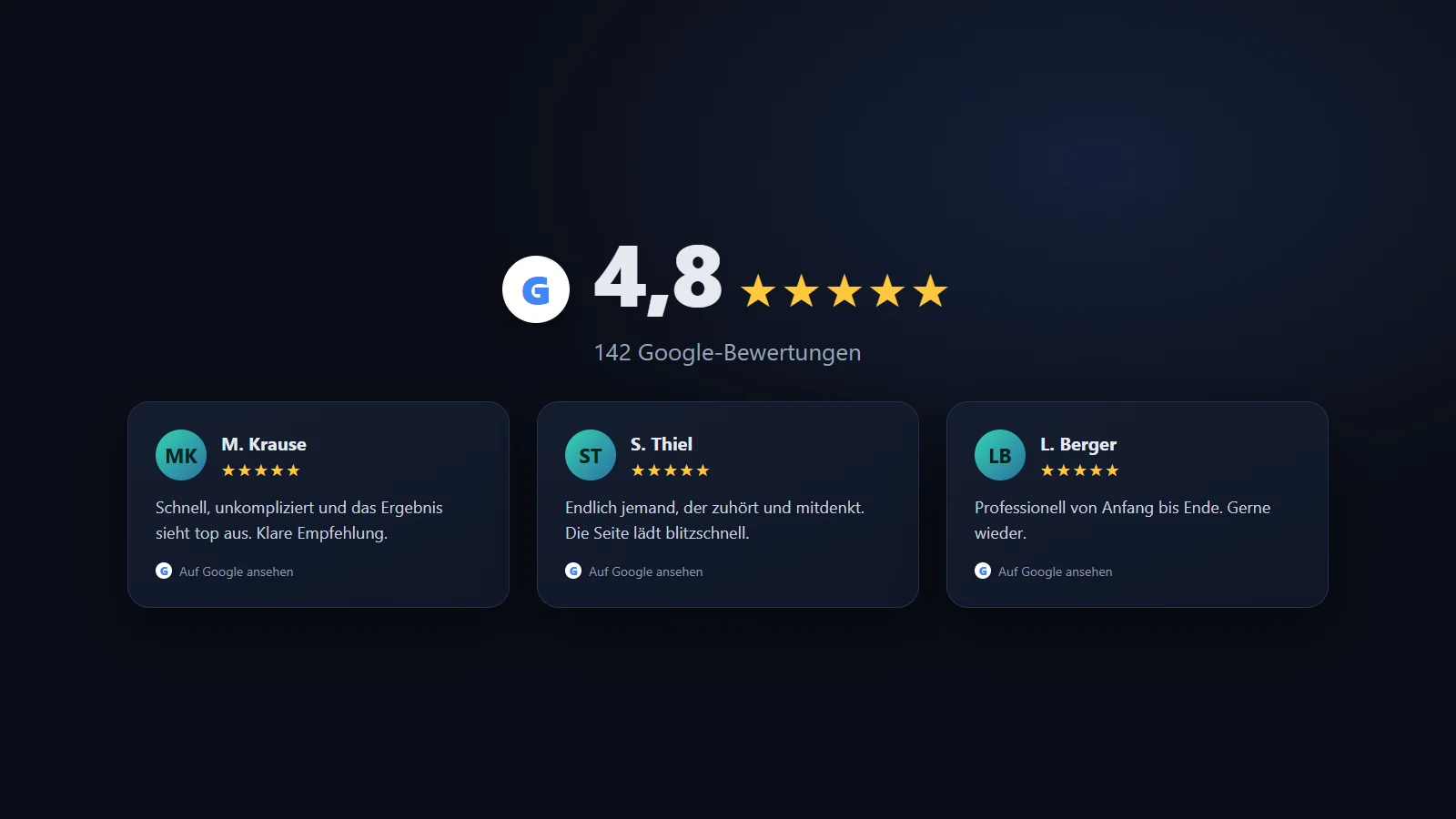

Google reviews on your own website are one of the strongest trust signals there is. Four point eight stars next to the contact form convince more than any marketing copy. The question is never whether to show them, but how - and this is exactly where most people take the most expensive, slowest route.
I just built the alternative for a client, and because the question keeps coming up in forums without a good answer, here is the whole way: why the ready-made widgets are the worst option, how the own solution works, and the pitfalls you stumble over along the way.
Why the ready-made widget is the wrong choice
The reflex is a widget from Elfsight, Trustindex or one of a dozen other providers. You copy a snippet, and it looks done. The price for it is threefold:
- Monthly subscription. For an element that sits permanently on every page, you pay permanently. If the provider goes down or changes prices, your review section hangs on it.
- Load time. The widget loads foreign scripts on every page view, often several hundred kilobytes, plus connections to the provider’s servers and to Google. Exactly the second a good website should not give away.
- Data protection. And this is the real catch: the widget transfers visitor data to third parties on load. That requires consent - a banner behind which the reviews only appear after a click. The trust signal meant to work instantly hides behind a cookie dialog.
For an element you want to show permanently and prominently, that is the most expensive and slowest of all solutions.
The better way: fetch it yourself once a day
The idea is simple and turns the problem around. Instead of asking Google live on every visit, the server fetches the reviews once a day, stores them as a file, and the website only renders that cached data. On page load not a single connection to Google runs - the visitor sees static HTML from your own house.
The fetch goes through the Google Places API. You need your listing’s Place ID and an API key, then one call returns the reviews as JSON:
// Runs server-side, once a day via cron - NOT on page load.
const PLACE_ID = 'ChIJ...';
const url = `https://places.googleapis.com/v1/places/${PLACE_ID}`
  + `?fields=rating,userRatingCount,reviews&key=${process.env.GOOGLE_API_KEY}`
  + `&languageCode=en`;

const res = await fetch(url);
const data = await res.json();

// Extract only what's needed and cache locally.
const cache = {
  rating: data.rating,
  total: data.userRatingCount,
  reviews: (data.reviews ?? []).map((r) => ({
    author: r.authorAttribution?.displayName,
    photo: r.authorAttribution?.photoUri,
    stars: r.rating,
    text: r.text?.text ?? '',
    time: r.publishTime,
    link: r.googleMapsUri,   // Required: link to the original review
  })),
  fetchedAt: new Date().toISOString(),
};

await fs.writeFile('reviews.json', JSON.stringify(cache, null, 2));
You hook this fetch onto a daily cron - a server cronjob, a WordPress cron task or a scheduled task, depending on the setup:
# Cron: refresh the reviews every day at 4 a.m.
0 4 * * * /usr/bin/node /path/to/fetch-reviews.js
On render, the website only reads reviews.json and builds the star section from it - entirely in your own design, with no foreign script. The result is a review section that costs nothing, loads instantly and gives no one away to Google on the visit.
The pitfalls from practice
As clear as the way is, there are four places where you have to pay attention.
Only about five reviews. The Places API returns not all of them but about five - the ones Google ranks as most relevant. For most sites that is no problem, since you only show a selection anyway. Anyone who strictly needs all reviews cannot do it with the official API and has to take considerably more elaborate routes. Know this limit before you promise the client anything.
The cache is mandatory, not optional. The whole advantage stands or falls with the API running only once a day - not on every page load. Put the fetch into the rendering by mistake and you ruin everything at once: load time, because every visit waits on Google; cost, because every call is billed; and data protection, because you connect live to Google again after all. The cron and the JSON file in between are the core of the solution.
Google attribution is mandatory. The terms are clear: reviews must be marked as Google reviews, attributed with the author and a link to the original review, and shown unaltered in content. You may trim them visually, not rewrite them. That is why the cache above also stores the link to the Google review - it belongs visibly on every card.
Author photos. The API returns a photo URL of the reviewer that points to Google servers. Embed it directly and you have a connection to Google on page load after all - the data-protection advantage would be gone. Cleaner is to download the photos during the daily fetch and serve them locally, or to skip them and show initials instead.
When building it yourself pays off
Not always. Anyone bringing a single landing page online quickly and deliberately solving data protection via a consent manager is fine with a widget as the pragmatic route. Building it yourself pays off as soon as the reviews are a permanent, prominent element - on a company site that runs for years, where every monthly subscription and every wasted second of load time adds up over time, and where you want full control over design and data protection.
The effort is half a day: get the API key and Place ID, write the fetch, set up the cron, render the section. After that the review section costs nothing more, loads instantly and belongs entirely to you.
Conclusion
Google reviews on the website are too valuable to hide behind a cookie banner and a monthly subscription. Fetching them once a day yourself, caching and rendering them, is not an exotic trick but the cleaner base solution: fast, free, no consent requirement and entirely in your own design. You only have to know the four pitfalls - the five-review limit, the indispensable cache, the mandatory attribution and the author photos. Then a trust signal sits on the page that works instantly and belongs to no one but you.
FAQ
Why not just use a Google reviews widget?+
Because an embedded widget loads the provider's foreign scripts (and often Google itself) on every page view. That costs load time, makes you dependent on a monthly subscription and transfers visitor data to third parties, which requires consent (a consent banner). For an element meant to be visible permanently on every page, that is needlessly expensive and slow.
Is the self-rendered variant really GDPR-friendly?+
The decisive point: on the visitor's page load no connection to Google runs - the reviews sit as already-fetched, cached data on your own server. So no personal visitor data is sent to Google, and the consent banner for this element usually falls away. The API call happens server-side via the cron, without the visitor. For a binding assessment of a specific case, a short check by qualified advice helps.
How many reviews do I get from the Google Places API?+
The Places API (Place Details) returns only about five reviews, usually the ones Google ranks as most relevant. For most websites that is enough, since only a selection is shown anyway. Anyone who needs all reviews cannot do it with the official API and would have to take other, more elaborate routes.
What does the API call cost?+
Almost nothing, if you cache correctly. A Place Details call with review fields is billable, but at one call per day you stay well within the monthly free tier. The mistake would be to call the API on every page load - which is exactly what the cache prevents.
Do I have to credit Google as the source?+
Yes. The terms require Google reviews to be marked as such, attributed with the author and a link to the Google review, and shown unaltered in content. This is easy to implement when rendering yourself and should be taken seriously.
Want to know more?
In a free intro call we discuss how you can use these topics for your company. Not a sales pitch, but an honest assessment.
Book a free intro call